Real Talk: Is AI Actually Making the Web Better for People with Different Abilities?
We see the headlines every day-AI is changing the world. But for those navigating the web with different abilities, does it actually improve the daily experience? Let’s get honest about the digital gap.
Let’s be real for a second. The internet was never really built for everyone. It was built for a very narrow definition of "average." For people with different abilities, using the web has often felt like trying to navigate a city with no ramps or signs. Now, everyone is shouting about how AI is going to "fix" everything. But is it? Or is it just another layer of tech that sounds good in a boardroom but feels clunky in the real world?
AI isn't a magic wand, but it is a really powerful tool when used with heart. It’s not just about the code; it’s about the person on the other side of the screen whose way of interacting with the world is unique.
The Messy Reality of Digital Inclusion
If you've ever used a screen reader, you know the frustration. A website that isn't coded right becomes a maze of "keyboard traps." For someone with different physical or visual abilities, the voice just repeats "link, link, link" without context. It’s more than annoying-it’s exclusionary.
The "old way" of fixing this was manual and slow: a consultant would find hundreds of errors and only a few would be fixed. Today, automated tools, including AI-based "overlays", promise to fix these problems on the fly. Be careful with that promise. Many accessibility specialists warn that overlays do not make a website accessible on their own, and that some can even get in the way of the screen readers and settings people already use. Automated checkers are genuinely useful for finding problems; fixing them properly still means changing the website itself.
Seeing and Hearing the Web Differently
One useful shift is how AI can help people with different visual abilities. It’s not just about zooming in. Some newer tools aim to adapt a page to the person using it: adjusting colours for people who perceive colour differently, enlarging or rearranging content, or describing images aloud. These tools are still developing, and they work best on websites that were built accessibly in the first place.
The idea is powerful: a website that adapts to the person, instead of the person adapting to the website. But it does not replace the basics, such as meaningful alt text, proper headings and keyboard access.
Embracing Neurodiversity
Most people forget that having a different ability isn't always something you can see. For folks with ADHD or sensory processing differences, a "normal" website can feel like a loud, bright carnival. Too much noise. Too much flashing.
Reader modes and newer AI-assisted reading tools can hide distractions and, in some cases, offer simpler summaries of long text. It’s like a pair of noise-cancelling headphones, but for your digital experience. As a creator, if you aren't thinking about this, you're closing the door on a large group of people.
The Trap: Don't Let the Machine Do All the Thinking
Here’s the danger. A lot of companies are just throwing an AI tool at their site and saying, "Okay, we're inclusive now." Big mistake. AI is great at patterns, but it’s terrible at nuance. It can't tell you if a joke is going to be confusing for someone with a different cognitive processing style. It doesn't know if your layout feels "warm" or "cold."
We always tell our community: Use AI to do the heavy lifting, but use humans to do the heavy feeling. You still need to talk to people with different abilities. You still need to ask, "Hey, does this actually work for you?" If you aren't doing that, you're just playing with expensive toys without making a real impact.
How to Actually Make an Impact
If you’re reading this and you want to do better, here are a few simple things you can start doing today (no, you don't need a PhD in AI):
- Write for Everyone: Use plain, clear language. It helps people with different cognitive abilities, those who speak different languages, and even just tired people.
- Test with Your Eyes Closed: Turn on a screen reader and try to find your own "Contact" page. It’s an eye-opening exercise in empathy.
- Stop with the Tiny Constraints: Small fonts and tight spacing are the enemies of inclusion. Give your content room to breathe.
Designing with People, Not for Them
One of the most important lessons in accessibility is simple: involve the people you're designing for. Too many tools are built by teams who have never spoken to a blind user, a deaf student or someone with a motor disability. The result is technology that looks inclusive in a presentation but fails in real life.
The better approach is to bring people with different abilities into the process early, as testers, advisers and, ideally, as members of the team. Pay them for their time and expertise. Their feedback will catch problems that no automated checker ever could, from confusing navigation to captions that miss the meaning of a sentence.
Practical Steps for Schools and Colleges
- Choose tools with accessibility built in. Ask suppliers whether their platforms work with screen readers, support captions and allow keyboard-only navigation. Our guide on how schools can choose education technology covers more questions to ask.
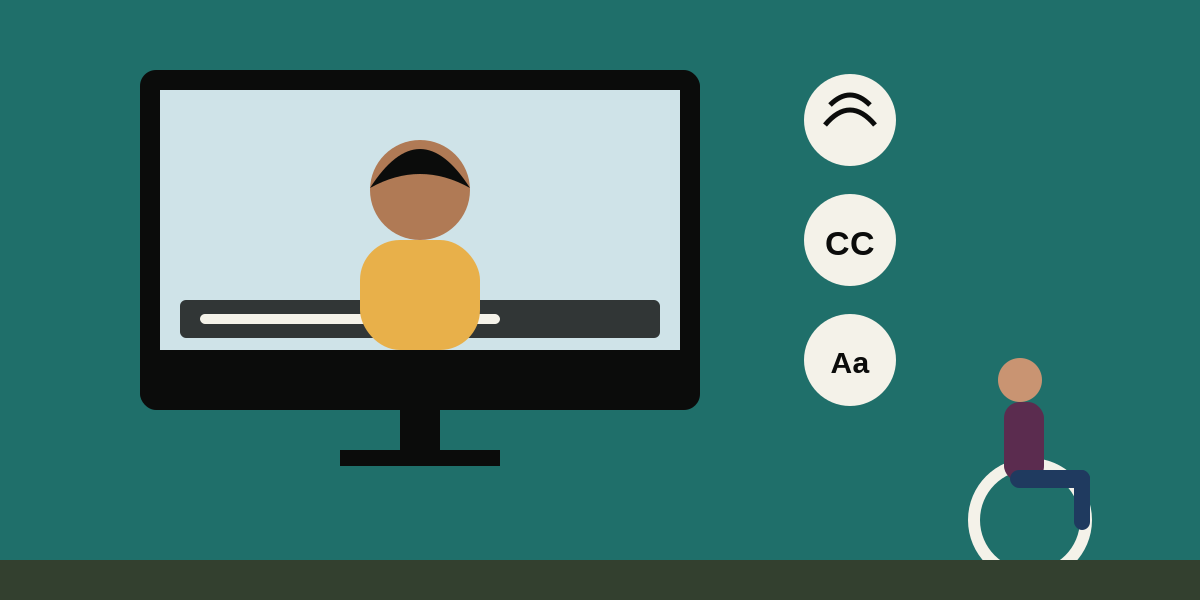
- Offer more than one way to learn. Provide written notes alongside videos, transcripts for audio and options to submit work in different formats.
- Train teachers. Even the best tools are useless if teachers don't know they exist or how to use them.
- Ask students. Students with disabilities often know exactly what helps. Create regular, comfortable ways for them to share feedback.
Practical Steps for Workplaces
Workplaces can apply the same thinking. Make sure internal tools and documents are accessible. Turn on live captions for meetings by default. Allow employees to use assistive technology on work devices without long approval processes. And when introducing a new AI tool, test it with a diverse group of colleagues before rolling it out. Accessibility isn't a one-time project; it's a habit built into every decision.
Keeping Privacy and Dignity in Mind
Many assistive tools process sensitive information, such as voice recordings, images of a person's surroundings or details about their health. Users deserve to know what is collected, where it goes and who can see it. The goal of inclusive technology is to give people more independence and control, so any tool that quietly takes control away, through hidden data collection or decisions made without consent, has missed the point entirely.
Wrapping it Up
Inclusion isn't about being perfect. It's about being better than you were yesterday. AI can help close the gap for people with different abilities, but only if we keep people in the loop and build accessibility into websites from the start.
So, the next time you’re building something, don't just ask "Does it work?" Ask "Who am I leaving out?" and then use every tool you've got to bring them in. That is how we build a future that actually belongs to everyone.
Sources
Facts, figures and quoted rules in this article come from the sources below. The wording of the article is our own.
- Introduction to Web Accessibility, W3C Web Accessibility Initiative (WAI). What web accessibility means and how websites can be made accessible.
- Overlay Capabilities Inventory (draft Community Group report), W3C Accessibility at the Edge Community Group. Technical review of what accessibility overlays do and where they can interfere with accessibility.